4 Best AI Shorts Makers to Create Scroll-stopping AI YouTube Shorts in Mins
Last Updated: 2026. 06. 01
Looking for a swift and simple way to create 20+ compelling YouTube Shorts in an hour? Or effortlessly repurpose your existing long YouTube videos into bite-sized Shorts within 10 minutes? Say goodbye to dreaming about it. With versatile AI Shorts makers, making viral AI shorts in minutes is now at your fingertips.
Not any AI Shorts makers will do. In this post, we’ve rounded up a list of the 4 best AI Shorts makers and will walk you through their AI video tools for making AI Shorts. Follow us to create scroll-stopping AI Shorts in a breeze.
Whether you are new to making YouTube Shorts or a seasoned YouTube content creator who wants to streamline your YouTube Shorts editing process with the help of AI, the user-friendly and feature-rich FlexClip AI Shorts maker deserves to be one of your go-to choices to create captivating AI Shorts.
Effortlessly make compelling AI Shorts by FlexClip AI video maker online.
Transcribe voiceovers, dialogues, and lyrics into burned-in subtitles for your AI Shorts. You can even stylize subtitles like applying word-by-word animations, changing fonts, color, size, etc. Engage viewers in a better way.
Manually adjust the AI-generated Shorts on the timeline. You can trim, merge, crop, adjust video speed, boost video quality, etc. Even a beginner can easily find the editing tool you need.
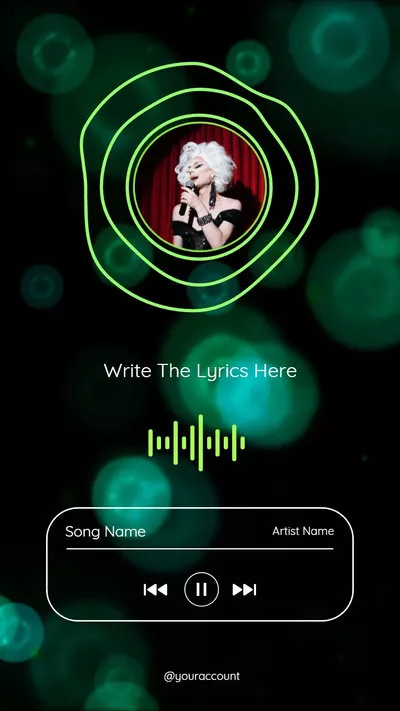
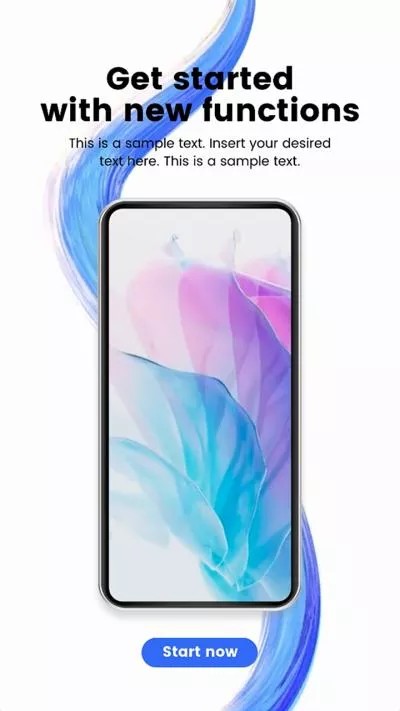
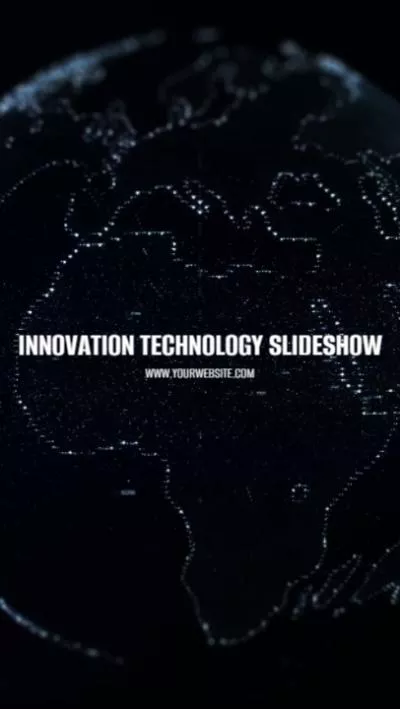
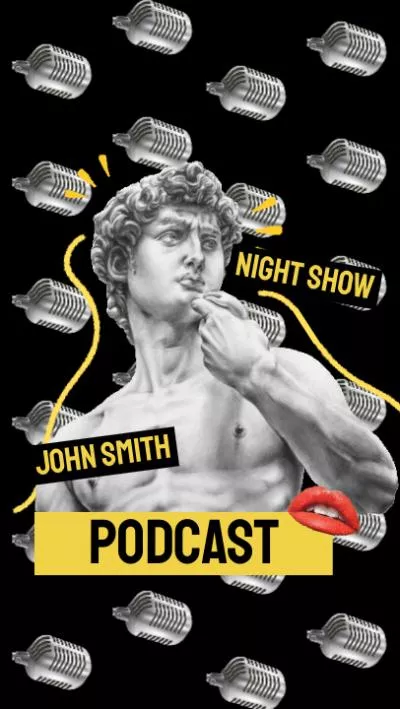
Don't feel like making edits? What distinguishes FlexClip from other AI Shorts makers is that you can use extensive expertly-crafted and fully-customizable AI Shorts templates, covering YouTube tutorials, product explainers, slideshows, podcasts, travel, sports & fitness, tech, holidays, business promo, webinars, educational videos, etc. With an easy drag and drop of your video assets, you can create compelling AI Shorts in minutes.
Preview
AI Company AI Shorts
Use This Template
Preview
Minimal ChatGPT Tutorial AI Shorts
Use This Template
Preview
Comedy Podcast AI Shorts
Use This Template
Preview
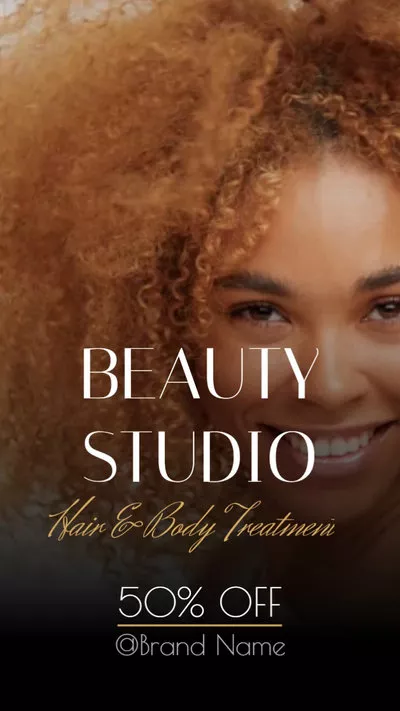
Hair Salon Promo AI Shorts
Use This Template
Preview
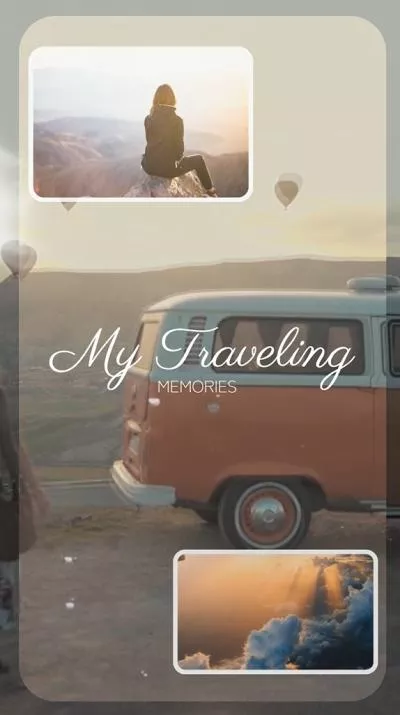
Trending Travel AI Shorts
Use This Template
Preview
How-to AI Shorts
Use This Template
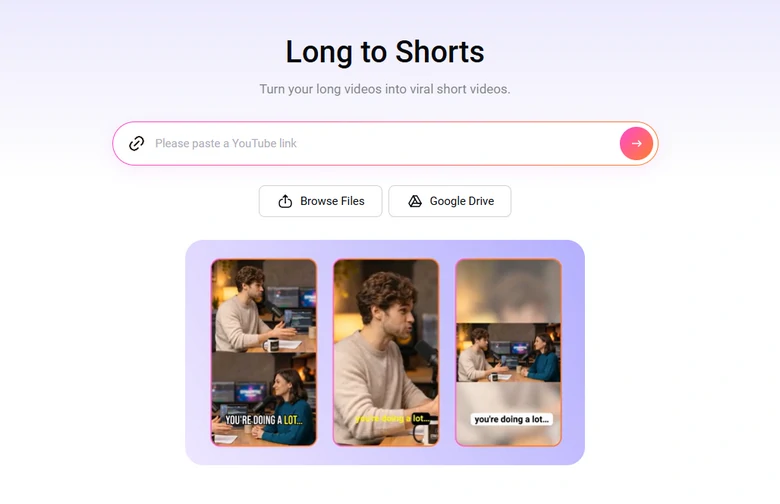
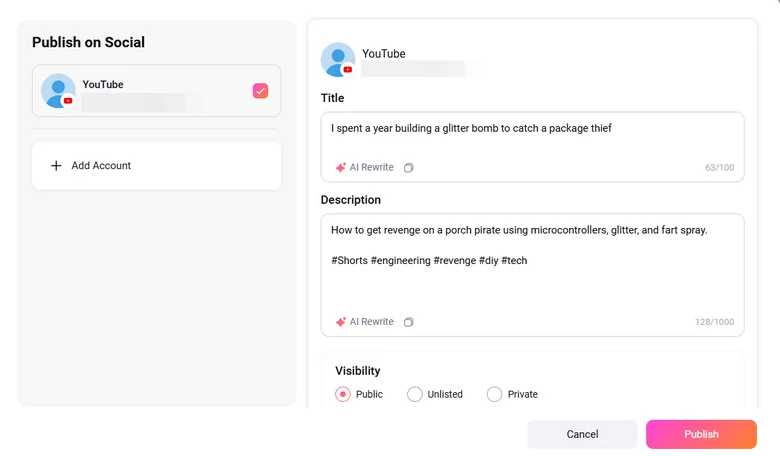
One click post your Shorts to YouTube or share via a short link without waiting and downloading. You can also save the video to a local folder.
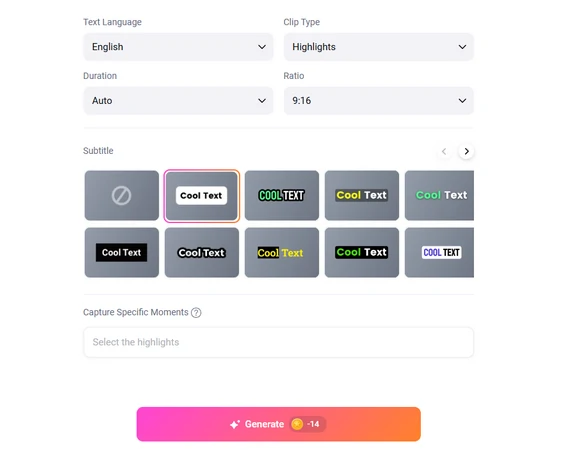
Select video language, clip type, video duration, subtitle type. As for aspect ratio, choose 9:16. Hit Generate.
Make basic setups on shorts
Step 3
Choose a Clip
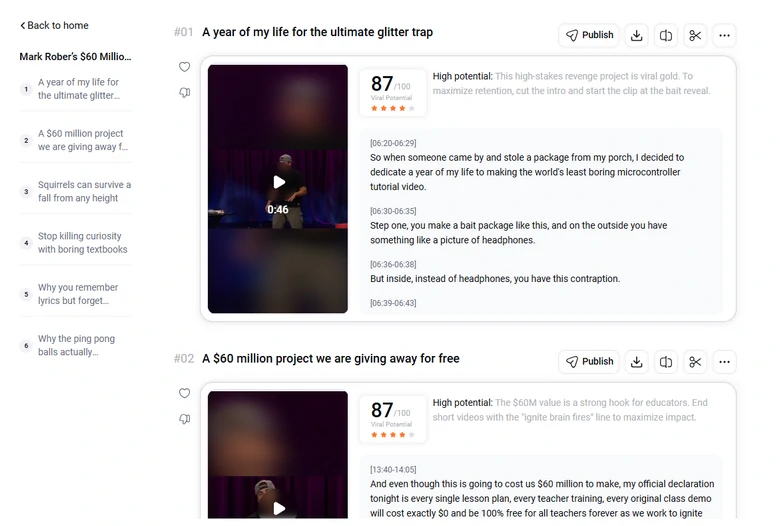
FlexClip generates several shorts at a time, each comes with a viral potential score so that you can make quick decisions. Head over to the short script to make proper changes.
Choose a viral short clip
Step 4
Trim the video
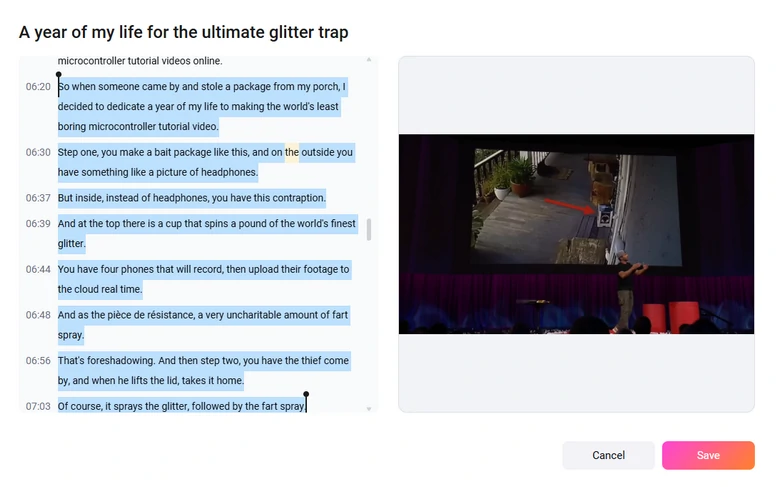
Go through the script of the generated AI short. Make changes on the script. While you are making changes on the script, AI will re-trim the long video so that the visuals go well with the script.
Trim the AI-Generated Shorts
Step 5
Preview and share.
Done with the editing. You can save the short video to your computer or directly share it as YouTube Shorts.
Share the Video as YouTube Shorts
Downside:
FlexClip successfully detects highlight moments, does perfect trim and auto reframe, but it can't generate B-roll for you.
FlexClip is more of an all-in-one editor. It doesn't have actual tools to manage YouTube videos like scheduling, linking Shorts back to long videos.
2. OpusClip
If you love FlexClip, then you don't want to miss OpusClip to repurpose long YouTube videos into YouTube Shorts.
Use Opus Clip to create compelling AI Shorts in minutes.
Similar to FlexClip, OpusClip uses its generative AI video tool to analyze your published YouTube video’s URL and automatically repurpose a long video into multiple AI Shorts in minutes with the auto-captions, AI-estimated viral scores for each AI Shorts and other basic editing tools.
Best Features to Create AI Shorts with OpusClip:
Directly paste your existing YouTube videos’ URL or upload a YouTube video to convert it to multiple AI Shorts.
OpusClip will break down a long YouTube video into 7 or more AI YouTube Shorts with AI-generated YouTube Shorts titles, viral score likelihood (how likely these Shorts will go viral), descriptions, and auto-post to TikTok.
Use AI face tracking to ensure your face stays in the center of the frame.
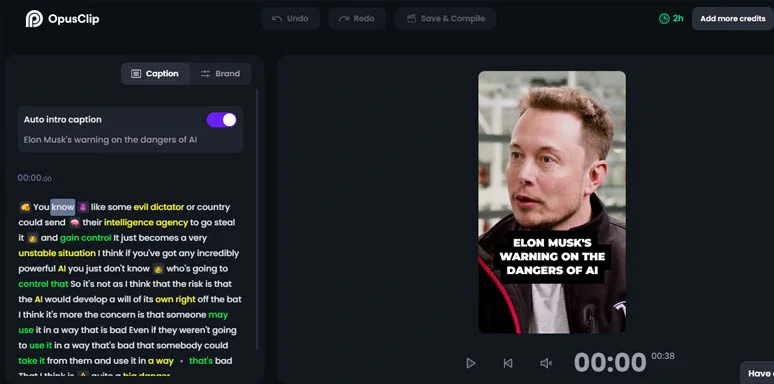
Customize the auto emojis, AI keywords highlighter, and auto-captions.
Upload images (PNG, JPG, JPEG) for image overlay, such as logo, CTA, etc.
Select the layout of the video, such as Fill (whole screen), Fit (center), and Split (two people in a frame).
Fit Layout Crop aspect ratio: keep original video aspect ratio; 4:3; 1:1.
Add Auto intro caption to give viewers more context.
How to Make AI Shorts by Opus Clip Online:
How to use Opus Clip AI Shorts maker to create AI Shorts from long YouTube videos.
Step 1
Access Opus Clip > copy and paste your URL (or upload a YouTube video) > click Get Clips in one link.
Step 2
Opus Clip will email you to notify you that your AI Shorts are ready > check these AI Shorts with video title, AI-generated viral score, and captions > find one you like best > click Edit button.
Step 3
Click Caption tab > proofread auto-generated captions > select a word or emoji and customize text color and emojis.
Step 4
Click Brand tab > set auto captions’ line (three lines per page or one line), caption position > upload images or log for CTAs > set text font, size, boldness, font color, font stroke, shadow, etc. and AI Short’s layout (fill, fit, split), etc.
Step 5
Click Save & Complie > save the AI Shorts to your computer.
Downside:
Opus Clip’s algorithm doesn’t work for certain video content, such as Vlog, Gaming videos, and music videos.
Currently, it only supports English, German, French, and Spanish.
Limited video editing tools: no transitions, video assets, TTS, etc.
To get the best results, the original YouTube video has to be longer than 15 mins because the longer the original YouTube video is, the more AI Shorts you will get.
3. Lumen5
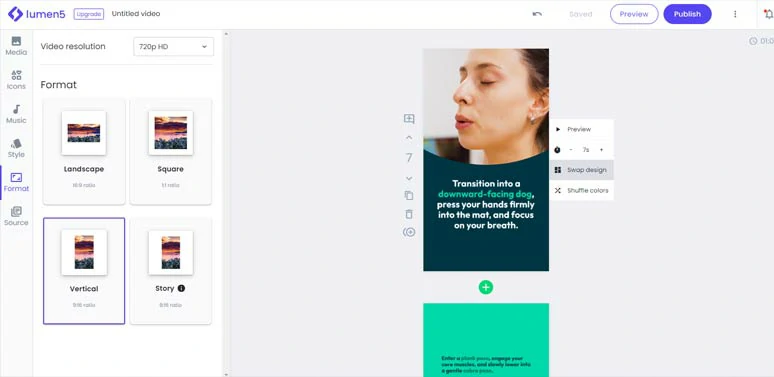
Well, if you want to repurpose your blog posts or ChatGPT-generated scripts into seamless AI YouTube Shorts using AI, another nifty AI Shorts maker you can turn to is Lumen5, one of the earliest and leading AI video creation platforms that utilize AI to automate the video editing process. Its intuitive interface and versatile text-to-video tools are exceedingly helpful to create AI Shorts with ease.
Use Lumen5 AI Shorts maker to create engaging AI Shorts.
Best Features to Create AI Shorts with Lumen5:
Offer you a powerful text-to-video generator that can convert text to AI Shorts in minutes from your blog’s URL and any text provided.
Powerful AI script composer will summarize blog posts and provide text and provide you with suggested video titles and multiple video versions and perfectly align each video scene with the right images and videos from its vast video assets and templates.
Seamlessly switch among 16:9, 9:16, and 1:1 video aspect ratio.
Use premade color palettes to personalize the color of AI Shorts.
Provide you with royalty-free photos, videos, and music.
How to Make AI Shorts by Lumen5 Online:
How to use Lumen5 to convert text to AI Shorts.
Step 1
Sign up free for Lumen5 > In the dashboard, click New Video > click Skip > you opt to use AI Script Composer to transform your text into video or upload your taking head video or start from scratch. > select “Use AI Script Composer to convert text to video.
Step 2
Paste your blog’s URL or copy and paste an article, blog or script into the text block > click Continue with AI > AI will summarize the provided text and will generate 10+ video titles, intro, and different sections for your AI Shorts > click Convert to Video. Now, AI will generate text animations and find matching video and image stock for your AI Shorts.
Step 3
Click the Format tab > select vertical to seamlessly switch from 16:9 video aspect to 9:16 video aspect for AI Shorts.
Step 4
Customize the text font, color, size, and highlighted area > extend or shorten the duration of each video scene > click Swap Design to tailor the style of each video scene > shuffle colors.
Step 5
Go to the Music tab > search for an ideal piece of music for your AI Shorts.
Step 6
Click Publish > save the AI YouTube Shorts to your computer.
Downside:
Its editor is not integrated with ChatGPT to directly write AI scripts for AI YouTube Shorts.
No text-to-speech and video transitions.
Can’t fully customize the text animations.
Can only add one audio track to the video for your AI Shorts.
Limited sound effects and the icons look vintage and cheesy.
4. HeyGen
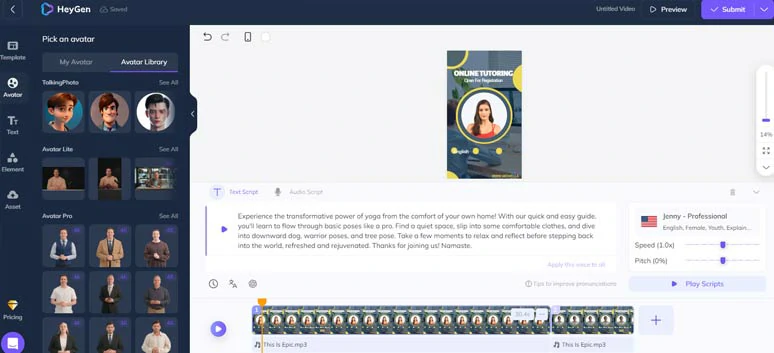
If you are camera shy and prefer to make faceless AI Shorts for news releases in your niche or snackable YouTube tutorials and explainer videos to boost engagement on YouTube, look no further than HeyGen AI Shorts maker, a full-featured AI video maker that offers you AI avatars, text-to-speech generator and the ability to convert images to taking photos for your AI Shorts.
Use HeyGen AI Shorts maker to create faceless AI Shorts with lifelike AI avatar.
Best Features to Create AI Shorts with HeyGen:
Offer you 100+ lifelike and 4K AI avatars to make AI YouTube Shorts and you can create custom AI avatars for AI Shorts.
Select from 9:16 premade video templates for creating AI Shorts on extensive topics, such as ads, e-commerce, breaking news, educational videos, explainer videos, health, festival, others, etc.
Create engaging talking photos from your images.
Use a text-to-image generator to create AI images for your AI Shorts.
ChatGPT script writer to help you write scripts for AI Shorts, with selections for different tones.
Import PPT and PDF for video scripts.
Use the versatile text-to-speech generator to convert scripts to lifelike AI voices. There are 300+ AI voices across 40+ languages. You can customize AI voices’ speed, pitch, pause, and gender.
Offer voice clone feature for premium users.
Royalty-free images, music, and videos.
How to Make AI Shorts by HeyGen Online:
How to use HeyGen AI Shorts maker to create faceless AI Shorts.
Step 1
Sign up free for HeyGen > access its online video editor > click Create Video to the top right corner > select Portrait video aspect ratio.
Step 2
Click the Template tab > select a readymade and editable YouTube Shorts template > add it to the timeline.
Step 3
Double-click the premade text > customize text font, size, color, opacity, and position.
Step 4
Click the ChatGPT icon to use ChatGPT Script Writer to write AI scripts for your AI YouTube Shorts. You can use ready-made ChatGPT prompts such as “shorter”, “longer”, “more professional” and “more engaging” to refine the scripts and click Apply the script for AI Shorts.
Step 5
Click the text-to-speech generator > select the language, voice speed, gender and pitch.
Step 6
Click the Avator tab > drag and drag an ideal AI avatar to replace the premade one > choose from Close-up, Half-body, and Cicle View for how AI avatar looks or even swap face for an uploaded image.
Step 7
Head to Element tab > Music > select royalty-free music for your AI Shorts.
Step 8
Click Submit button to render the video project > save the AI Shorts to your computer.
Downside:
No auto subtitle generator to add subtitles to YouTube Shorts.
Can’t preview the animation of the AI avatar in real-time.
Text-to-speech AI voices don’t have voice styles to choose from.
Limited video transitions.
Limited audio assets and no sound effects available.
Can’t customize the text animations.
No text-to-video generator.
Now, It's Your Move
With mighty AI Shorts makers, you can expedite your YouTube Shorts editing process and easily repurpose existing long YouTube videos into captivating AI Shorts. As you can tell, not all AI Shorts makers are made equal! Feel free to experiment with all the recommended AI Shorts makers mentioned above and share this post on your Facebook or Twitter and let us know which one resonates with you the most. Cheers to your video editing success!